

5 Early Warning Signs Your Industrial Drive Is About To Fail
Most maintenance teams know their drives are struggling before the drives actually fail. They’ve seen the fault code, felt the heat coming off the enclosure, and noticed the motor acting up. They reset, they monitor, and they move on. This cycle repeats until it doesn’t. When a drive finally quits, it rarely feels like a surprise in hindsight.
AC drives, DC drives, VFDs, and servo drives all telegraph trouble before they quit. These are the five signs worth taking seriously.
1. Fault codes that keep coming back
A fault code that clears on reset isn’t a resolved problem; it’s a deferred one. Overcurrent, undervoltage, and ground fault codes that trip and reset without intervention are the drive flagging something it can’t sustain indefinitely. Each reset buys time, not a fix.
The fault log is where this pattern becomes visible. Most drives record fault history with timestamps. If the same code appears with increasing frequency, or multiple fault types are stacking up, the drive is telling a clear story. Read it before the next chapter is an unplanned outage.

2. Heat that shouldn’t be there
Drives generate heat by design. That’s why they have cooling fans and ventilated enclosures. The warning sign isn’t heat itself; it’s heat that’s disproportionate to the load or ambient conditions. A drive running hot with its fan at full speed is a drive struggling.
Heat is the leading cause of capacitor failure and insulation breakdown inside a drive. Left unchecked, it shortens the life of every other component in the enclosure. The most common causes:
- Dust mixed with plant moisture that restricts airflow and accelerates thermal buildup
- A failing or seized cooling fan that’s no longer moving air effectively
- Loose connections drawing excess current and generating heat at the contact point
- A component — often a capacitor or IGBT module — starting to fail internally
3. Erratic motor speed or output
When a motor surges, hunts, or can’t hold commanded speed, the instinct is to look at the motor. But inconsistent output typically originates in the drive. Degraded IGBT modules or failing current sensors produce distorted output waveforms. The motor responds with speed fluctuations that look mechanical but aren’t.
The distinction matters because replacing a motor doesn’t fix a drive problem. If the motor checks out but still behaves unpredictably, the drive’s output signal is worth testing with an oscilloscope before any parts are swapped.
4. Sounds that changed
A drive that sounds different than it used to is worth investigating. Buzzing, humming, or high-pitched electrical noise from inside the enclosure frequently points to aging capacitors, loose internal connections, or a cooling fan on its way out. This is distinct from motor or gearbox noise. It comes from the drive cabinet.
Capacitor failure usually presents acoustically before it’s visible. By the time a capacitor is bulging or leaking, it’s already compromised other components. The sound comes first.
5. Visible damage inside the enclosure
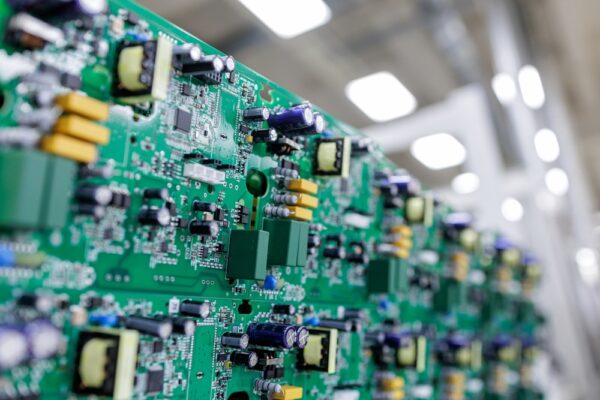
Discoloration, burn marks, corrosion on terminal connections, or bulging capacitors are past-tense evidence of an ongoing problem. Finding it before total failure still leaves options on the table. Any of these findings warrants a closer evaluation, not a wait-and-see approach:
- Scorch marks or discoloration on the board or around terminals
- Capacitors with domed tops or visible leakage
- Corrosion or oxidation on bus bars and connection points
- Tracking marks (thin carbon trails across circuit board surfaces that indicate arcing)
When signs start stacking up
None of these symptoms guarantees imminent failure on its own. But a drive showing two or more simultaneously is operating on borrowed time. Treat the fault log as a record, schedule enclosure inspections, and act on early findings instead of resetting and moving on.
